
YouTube Hourly Views Tracker
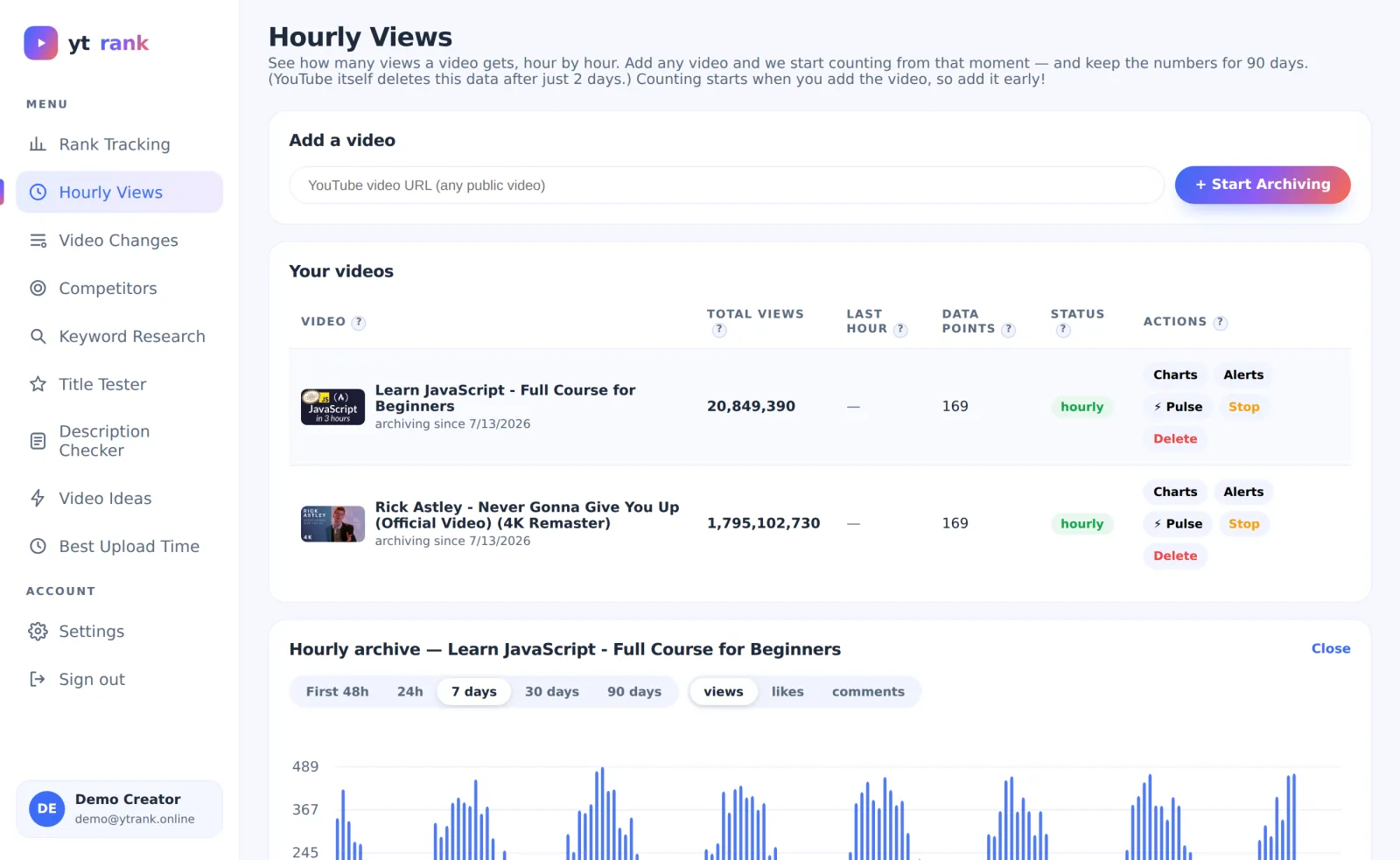
YouTube shows hourly view counts for only 48 hours, then deletes them forever. ytrank measures any public video every hour and keeps 90 days of history, so you can see exactly when people watch.
- ✓Works for any public video, including competitors
- ✓90-day archive — YouTube itself keeps only 48 hours
- ✓⚡ Pulse mode: 5-minute sampling for video launches
- ✓Hour × day heatmaps show when your audience watches
How it works
Add a video
Paste the link. Recording starts immediately — the earlier you add it, the longer your history.
We measure every hour
View, like and comment counts are captured hourly; missed intervals are estimated transparently.
Read the patterns
Bar charts and heatmaps reveal daily rhythms, spikes after promotion, and your audience's active hours.
Why it matters
Averages hide everything interesting. A video that gains 2,400 views a day might earn most of them between 19:00 and 23:00 — knowledge you can use to time uploads, community posts and ads. Hourly data is also the honest way to measure what a promotion or collab actually did.
Frequently asked questions
Why does YouTube not show this itself?
YouTube Studio shows hourly data only for the last 48 hours and only for your own channel. ytrank archives any public video for 90 days.
What is Pulse mode?
For launches: ytrank samples the video every 5 minutes for 24 hours, so you see the first-day curve in fine detail.
Does deleting a video lose the data?
Deleting an archive removes its data permanently. Use Stop instead to pause collecting while keeping history.
More free ytrank tools
Try Hourly Views free today
No credit card. Every ytrank tool is free — create an account and start in one minute.
Create Free Account →