
YouTube Description Checker
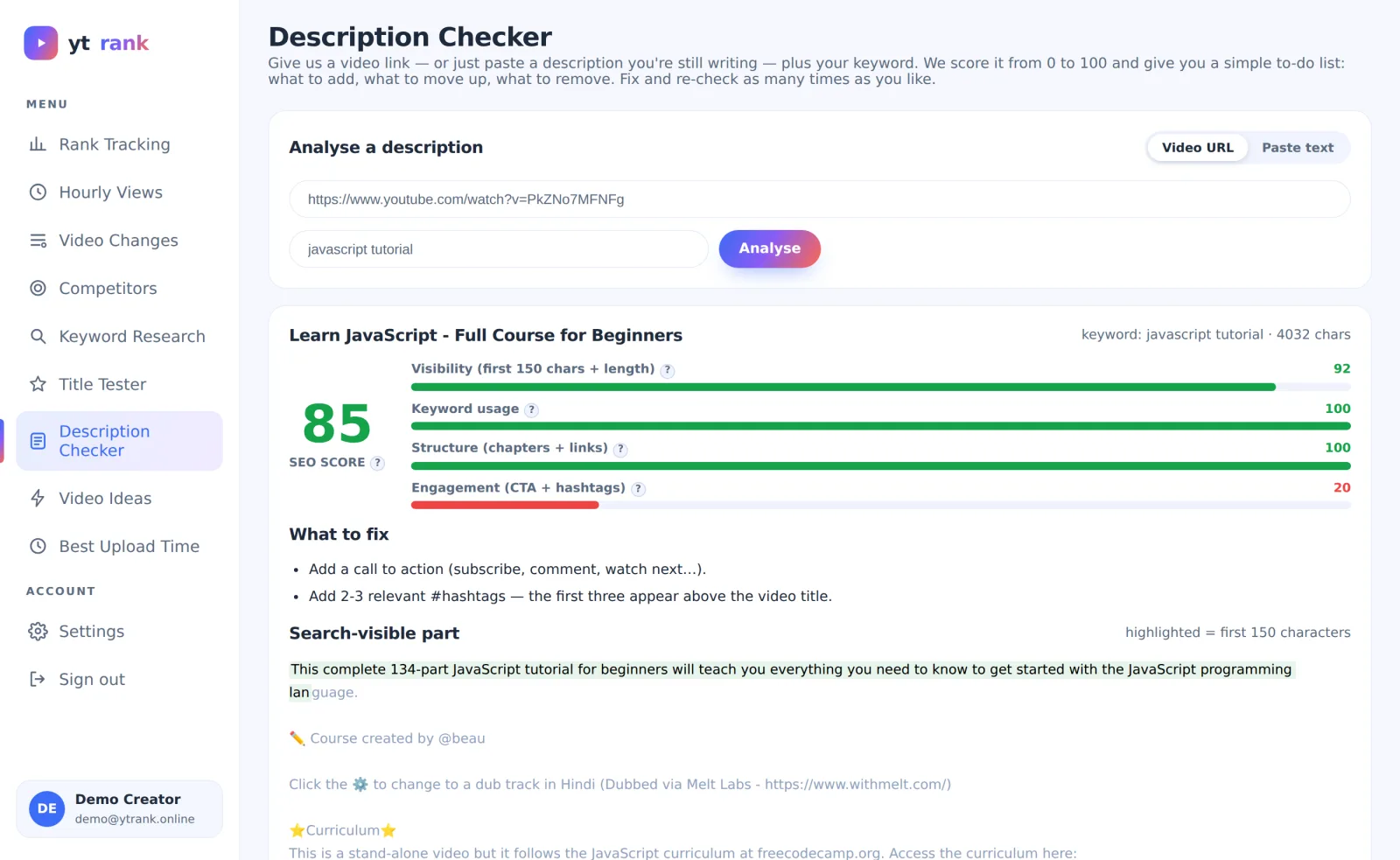
Give a video link — or paste a description you're still writing — plus your keyword. ytrank scores it 0–100 across four categories and gives you a simple to-do list: what to add, what to move up, what to remove.
- ✓Four sub-scores: visibility, keyword usage, structure, engagement
- ✓Highlights the search-visible first 150 characters
- ✓Concrete fix list in plain English
- ✓Paste-text mode is completely free — test before you publish
How it works
Paste a link or a draft
Analyse a live video, or paste raw text for a video you have not uploaded yet.
Read the four bars
See exactly which category drags the score down — usually the first 150 characters or a missing CTA.
Fix and re-check
Apply the fixes and run it again — as many times as you like.
Why it matters
YouTube shows roughly the first 150 characters of a description in search — most creators waste them on subscribe-links. The description also feeds the search index: keyword placement, chapters and structure all matter. A rule-based score makes those invisible factors visible.
Frequently asked questions
Does it use AI to rewrite my description?
No — it is a transparent rule engine. It tells you what to change; the words stay yours.
Can I check a competitor's description?
Yes, any public video. Comparing scores against top-ranking videos shows what they do differently.
What is a good score?
70+ is strong. Below 45 usually means the essentials — keyword in the opening, chapters, a call to action — are missing.
More free ytrank tools
Try Description Checker free today
No credit card. Every ytrank tool is free — create an account and start in one minute.
Create Free Account →